Let’s be real: the most annoying part of any big Perler project isn't the hours spent placing beads—it's running out of one specific color when you're 90% finished.
I used to spend way too much time squinting at a blurry screenshot, trying to guess if I needed 200 or 500 "Dark Blue" beads. Total nightmare.
I recently started using pixel-beads.com, and it’s a massive upgrade from the old way of doing things. It’s a free web tool that basically handles the "math" side of crafting so you can just focus on the fun part.
The Conversion is Actually Clean
Most "photo-to-pixel" converters turn your pictures into a muddy mess. This one actually keeps the shapes sharp enough to read on a pegboard.
Here’s a quick look at a test I ran:

The reference I started with
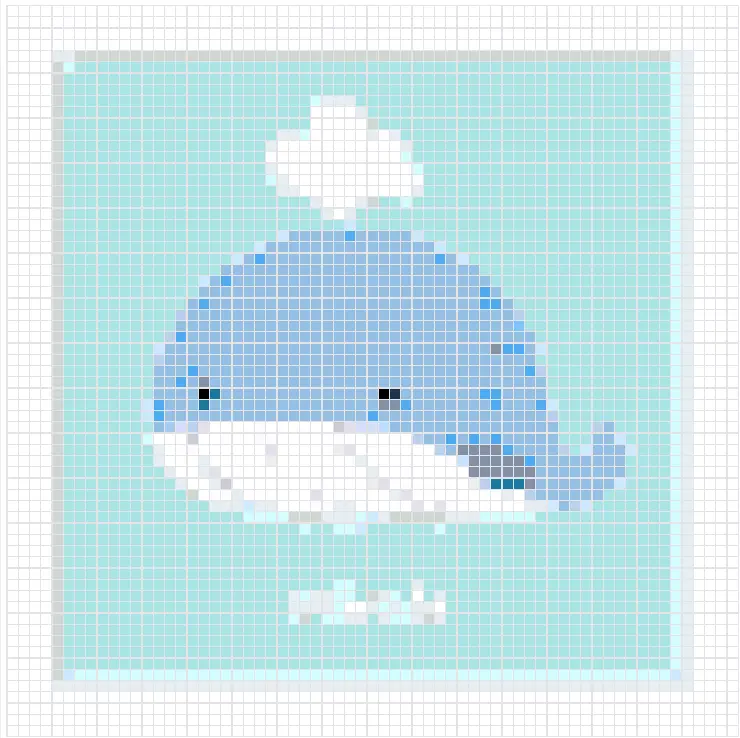
The ready-to-bead pattern
Why This Tool is a Keeper
There are three things that made me bookmark this site immediately:
- The Bead Count (The Real MVP): Once you convert an image, it gives you a breakdown of exactly how many beads you need for each color. No more guessing. If the tool says you need 412 "Sand" beads, you know exactly what to grab from your stash (or your shopping cart) before you start.
- Brand-Specific Palettes: It lets you toggle between Perler, Hama, and Artkal. This is huge because we all know a "Red" in one brand isn't the same as a "Red" in another.
- Browser-Based: No clunky software to download or "Premium" pop-ups every five seconds. It just works.
A Quick Tip for Large Projects
When you're using the Bead Count feature, I always recommend adding about 5-10% extra to the total when you're buying. We've all dropped a few beads into the "carpet abyss," right?
Bottom Line
If you’re tired of manually counting squares or guessing your bead supply, go check out pixel-beads.com. It’s easily the most practical tool I've found for the hobby this year.
What's on your pegboard right now? Let me know in the comments, or tag me in your finished melts!